3D animation and walkthrough videos

Show buyers a flat before it is built, show a product from every side, or open your videos with an animated logo. It is all made in 3D, so the camera can go anywhere.

Flat and house walkthroughs3D floor plansProduct turntables and adsLogo animations and introsExplainer animations

What this is

A 3D walkthrough is a video that moves through a home or building made on a computer. Builders use it to sell flats before construction is finished, because buyers can see the rooms, the furniture and the light instead of trying to read a floor plan.

The same method works for products. A machine or gadget can turn on screen, open up to show what is inside, or be shown at work. A logo animation is a short intro for your videos, reels and presentations.

Who it is for

  • Builders and property dealers selling new flats or houses
  • Architects and interior designers showing a plan to a client
  • Manufacturers who want a product video
  • Businesses that want an animated logo for videos and reels

What you get

  • An HD video (1080p) for WhatsApp, YouTube and Instagram
  • Still pictures from the same 3D scene for brochures and hoardings
  • Vertical versions for reels and status

How it works

  1. 1Send the plan or the product

    A floor plan with sizes, photos of the product, or your logo file.

  2. 2We build the 3D scene

    Walls, furniture, materials and lighting.

  3. 3You check still pictures

    Changes are easiest at this stage.

  4. 4We render the video

    You get the final video and the stills.

What to send us

  • A floor plan with sizes, or the architect's drawing
  • The finishes you want: flooring, colours, furniture style
  • For products: photos, or the product itself
  • Where the video will be shown

Our work

Our work

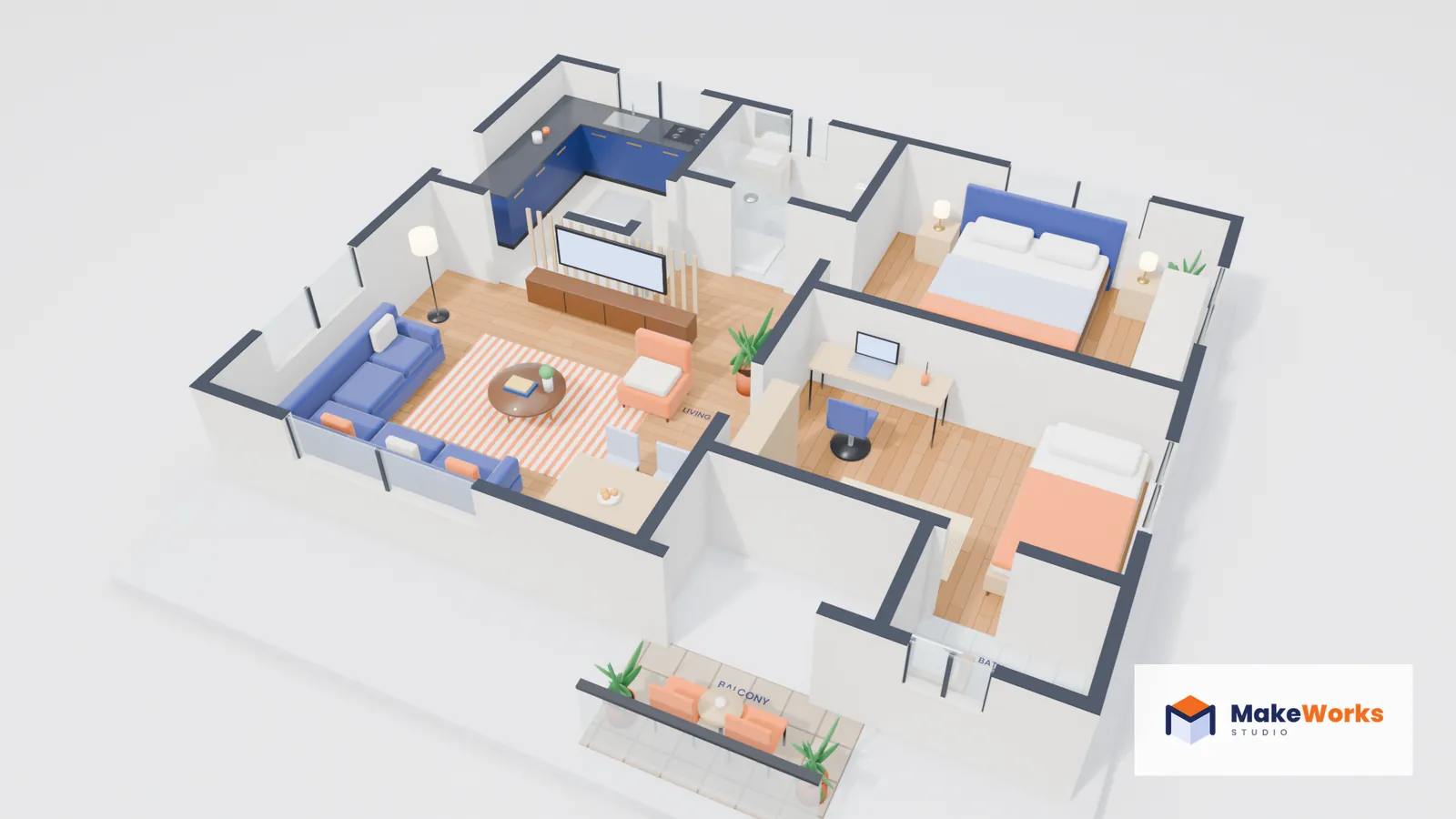
Shri Ram Residency: 2BHK flat

A furnished two-bedroom flat shown from above with the roof taken off, the way builders show buyers a home that is not built yet. Every room is labelled.

  • 8-second orbit, 1080p
  • Furnished and labelled
  • Ready for brochures and WhatsApp
Our work

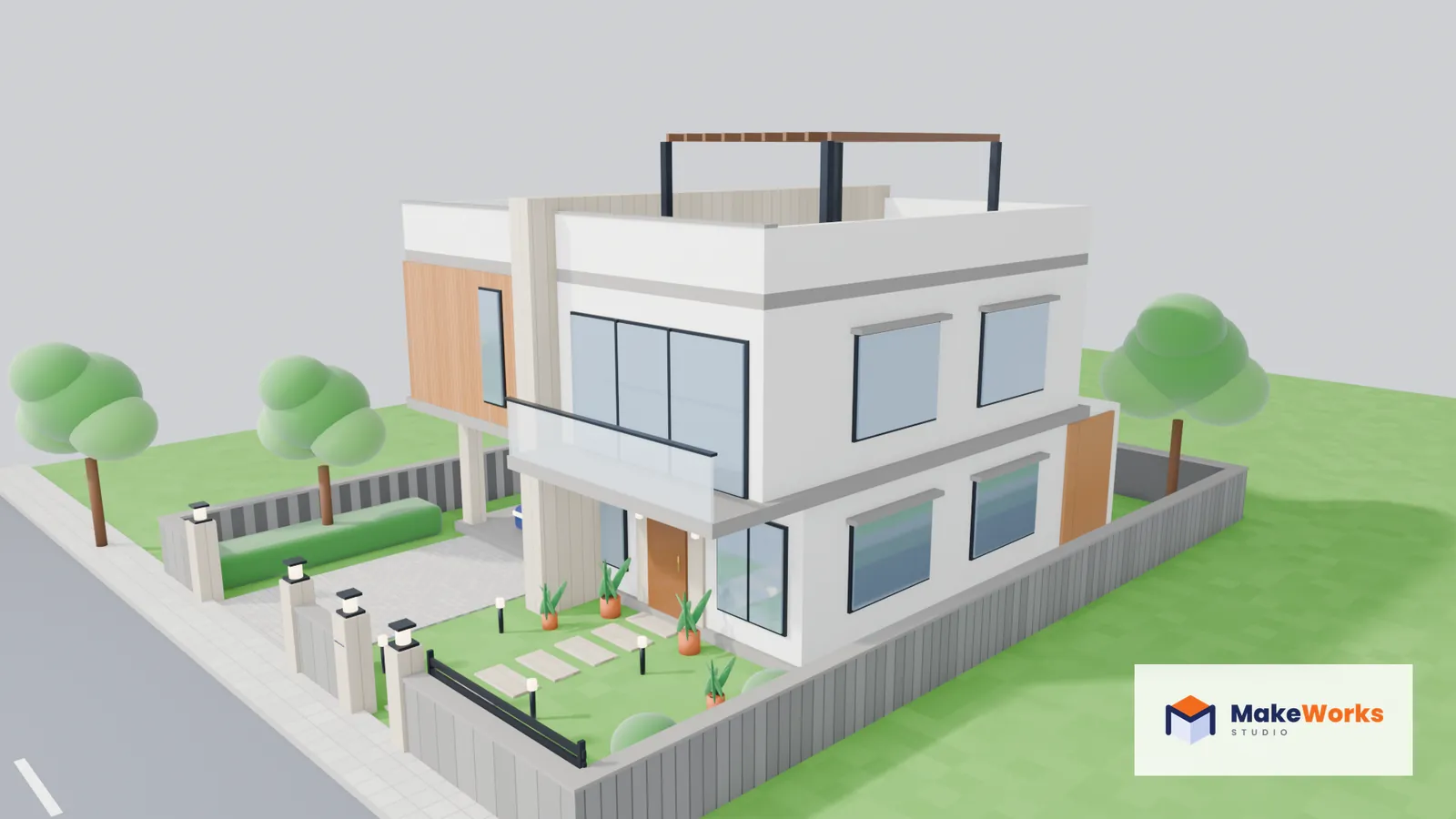
Aravali Villas: house exterior walkthrough

A modern two-storey house shown the way a buyer would first see it. The camera starts on the street, rises over the open gate and turns to show the balcony, the car porch, the garden and the pergola on the terrace. A builder can share a video like this before the house is finished.

  • 10-second walkthrough, 1080p
  • Garden, car porch and terrace
  • Ready for WhatsApp and YouTube
Our work

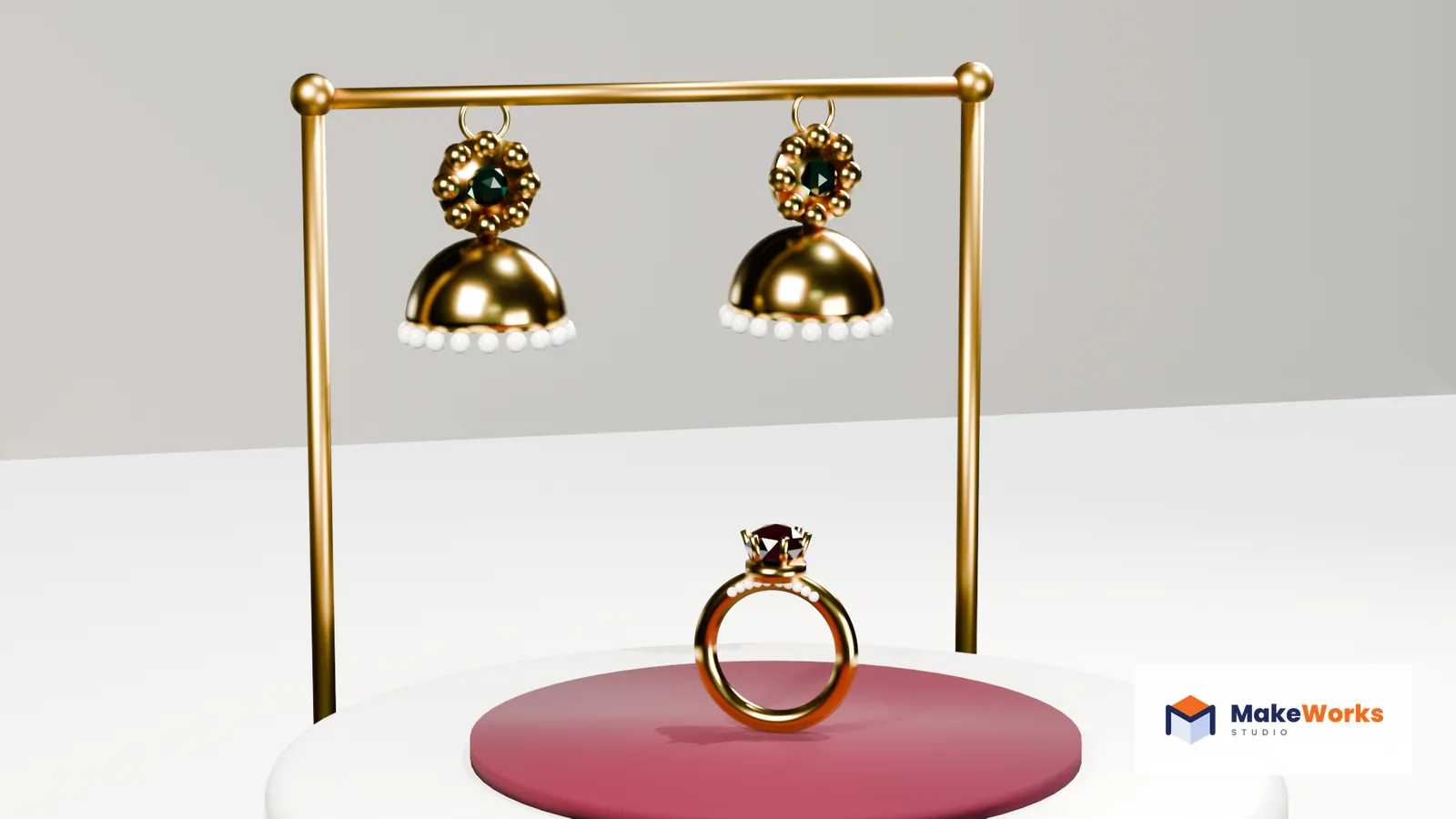
Nauratan Jewels: product ad

A gold ruby ring turns slowly on a velvet pedestal while a pair of jhumkas with pearl fringes sway behind it, then the shop's logo and line fade in. Real gold and gem reflections, ready to run as a reel or a status.

  • 8 seconds, 1080p
  • Ring, jhumkas and logo end card
  • Made for one of the brands we designed
Our own project

MakeWorks logo intro

Our own logo, animated. The three faces of the cube fly in, the M draws itself along the edges, and then the name slides out.

  • 4.5 seconds
  • Made in Blender

Questions people ask

What is the difference between a walkthrough and a 3D floor plan?

A 3D floor plan shows the whole flat from above, like a dollhouse with the roof off. A walkthrough moves through the rooms at eye level, as if you are visiting. Our sample on this page is the dollhouse kind.

Can you make it from a hand-drawn plan?

Yes, as long as the main sizes are marked. We ask about anything that is missing.

Which software do you use?

Blender, a professional 3D program used for films, ads and product visuals.

Can you animate my existing logo?

Yes. Send the logo file, ideally a vector file such as SVG, AI or PDF, and we animate it.

Tell us what you want made.

Send a photo, a sketch or one line on WhatsApp. We reply with an idea, a price and a date.